
Logs review
You can access the activity logs for your Ticket Scanner to verify that it is operational. These logs provide information on when data is downloaded to the scanner when invalid tickets are used, and any errors that might occur.
Step 1:
- Log in to your Account.
- Click on “Ticket Scanner”.
- Click on your scanner.
Step 2:
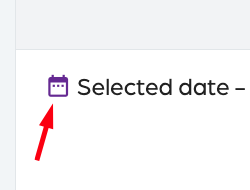
- Click on “Sync activity”.
- Select the date to view the activity.
Step 3:
- Review the activity.
- Select a specific log by clicking on it.
- Review the date, action, and message.
Logs review
66a7dc55ebb98e6cfc598ec5
689b1fb31e12014b8a195e3d
"\nYou can access the activity logs for your Ticket Scanner to verify that it is operational. These logs provide information on when data is downloaded to the scanner when invalid tickets are used, and any errors that might occur.\n\n**Step 1:**\n\n- Log in to your [Account](https://app.socialgoodsoftware.com/dashboard).\n- Click on “[Ticket Scanner](https://app.socialgoodsoftware.com/scanners)”.\n- Click on your scanner.\n\n**Step 2:**\n\n\n\n- Click on “Sync activity”.\n- Select the date to view the activity.\n\n**Step 3:**\n\n- Review the activity.\n- Select a specific log by clicking on it.\n- Review the date, action, and message.\n\n"