
Downloading stats for the Ticket Scanner
You can download the stats' data for your Ticket Scanner for record-keeping purposes or to analyze the results using a spreadsheet editor.
Step 1:
- Log in to your Account.
- Click on “Ticket Scanner”.
- Click on your scanner.
Step 2:
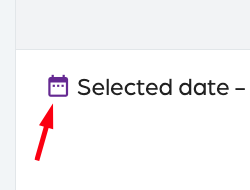
- Click on “Stats” and tap on the top right.
- On the top left, select the date.
Step 3:
- Click on the date.
- Click on “OK”.
Step 4:
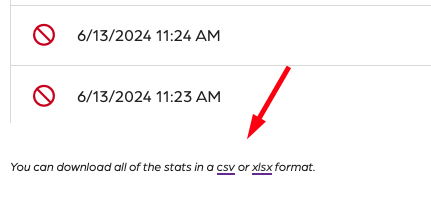
- On the bottom left, locate the download options.
- Select CSV or XLSX format for download.
Step 5:
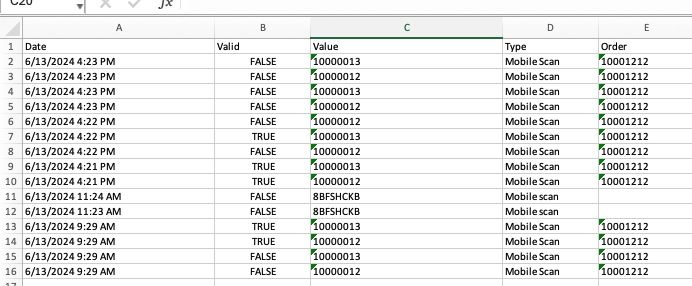
- Open the spreadsheet and verify your data was downloaded.
Downloading stats for the Ticket Scanner
66a7dc55ebb98e6cfc598ec5
66a8235f082392452a075205
"\nYou can download the stats' data for your Ticket Scanner for record-keeping purposes or to analyze the results using a spreadsheet editor.\n\n**Step 1:**\n\n- Log in to your [Account](https://app.socialgoodsoftware.com/dashboard).\n- Click on “[Ticket Scanner](https://app.socialgoodsoftware.com/scanners)”.\n- Click on your scanner.\n\n**Step 2:**\n\n\n\n- Click on “Stats” and tap on the top right.\n- On the top left, select the date.\n\n**Step 3:**\n\n- Click on the date.\n- Click on “OK”.\n\n**Step 4:**\n\n\n\n- On the bottom left, locate the download options.\n- Select CSV or XLSX format for download.\n\n**Step 5:**\n\n\n\n- Open the spreadsheet and verify your data was downloaded.\n\n"