
Settings
The settings section allows you to customize the behavior of your Ticket Scanner and manage essential configurations for a specific scanner. If you have more than one scanner using the same app id, these settings will not apply to the other scanners.
Settings
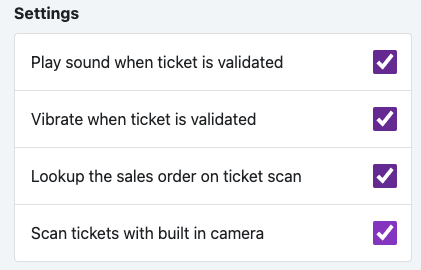
- Play sound when a ticket is validated - This enables or disables an audio alert when a ticket is successfully or unsuccessfully validated.
- Vibrate when a ticket is validated - This enables or disables device vibration when a ticket is successfully or unsuccessfully validated.
- Look up the sales order on ticket scan - This automatically looks up the sales order details when a ticket is scanned.
- Scan tickets with built-in camera - This allows the use of the device's built-in camera to scan tickets.
Setup
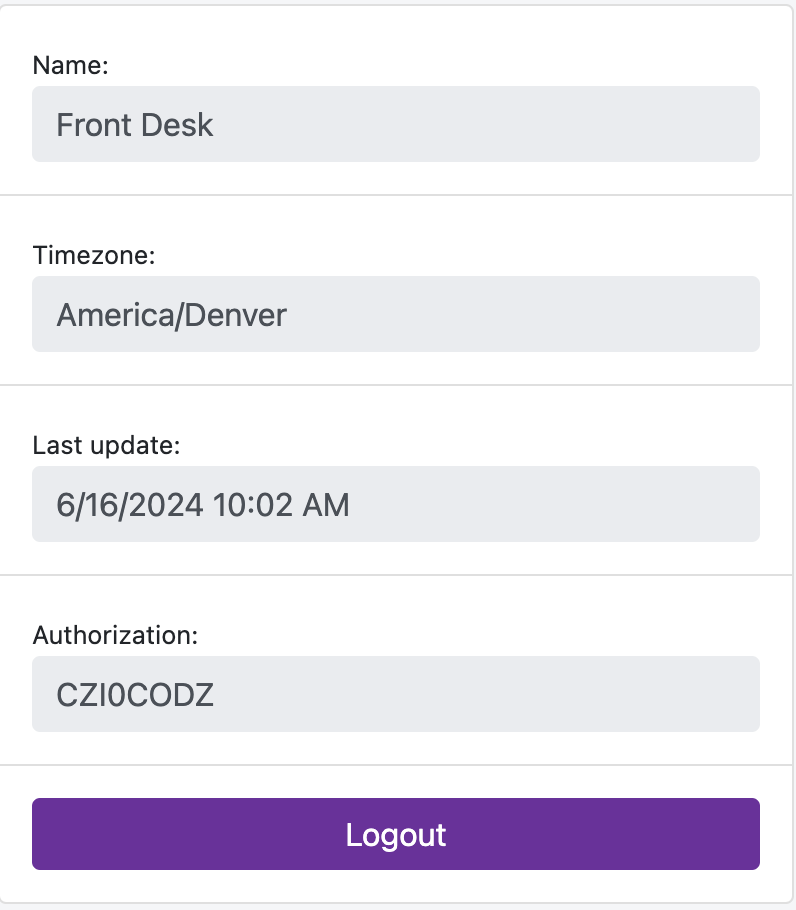
- Name - The name of your scanner.
- Time zone - The selected time zone for your Account.
- Last update - This displays the timestamp of the last update.
- Authorization - This shows the current authorization app id.
- Logout - This will log out of the application.
You can access these settings by navigating to the Settings section and adjusting the options according to your preferences.
Settings
66a7dc55ebb98e6cfc598ec5
66a8235c0d7d86166241f76f
"\nThe settings section allows you to customize the behavior of your Ticket Scanner and manage essential configurations for a specific scanner. If you have more than one scanner using the same app id, these settings will not apply to the other scanners.\n\n\n\n**Settings**\n\n- Play sound when a ticket is validated - This enables or disables an audio alert when a ticket is successfully or unsuccessfully validated.\n- Vibrate when a ticket is validated - This enables or disables device vibration when a ticket is successfully or unsuccessfully validated.\n- Look up the sales order on ticket scan - This automatically looks up the sales order details when a ticket is scanned.\n- Scan tickets with built-in camera - This allows the use of the device's built-in camera to scan tickets.\n\n\n\n**Setup**\n\n- Name - The name of your scanner.\n- Time zone - The selected time zone for your Account.\n- Last update - This displays the timestamp of the last update.\n- Authorization - This shows the current authorization app id.\n- Logout - This will log out of the application.\n\nYou can access these settings by navigating to the Settings section and adjusting the options according to your preferences.\n"