
Home
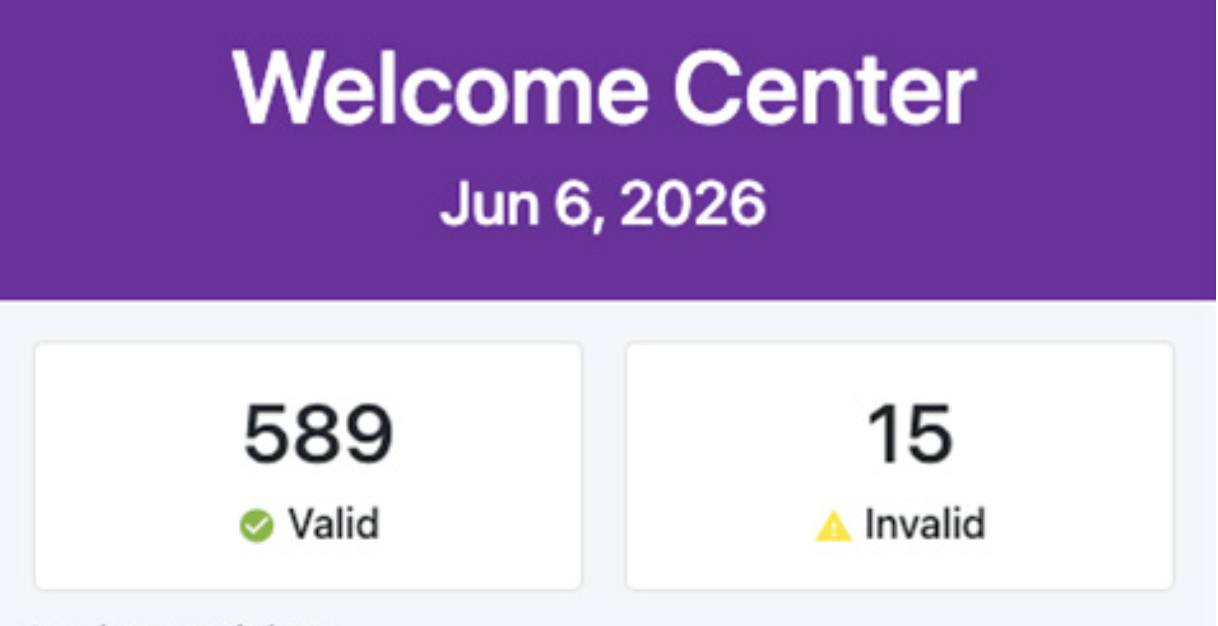
When you open the application, arrive at the home screen, your central hub for information about the Ticket Scanner. Here, you can see the scanner name and the number of valid and invalid tickets, and look up a guest by name, phone, email, or order number, and view recent scans to get more details about specific tickets.
Look up a ticket by name
- Tap on the “Name” icon.
Look up a ticket by phone
- Tap on the “Phone” icon.
Look up a ticket by email
- Tap on the “Email” icon.
Look up a ticket by order
- Tap on the “Order” icon.
Recent scans
- This shows the last 100 scans your scanner completed.
- This shows both invalid and valid scans.
Home
66a7dc55ebb98e6cfc598ec5
66a8235816e6a80d1e1d1241
"\nWhen you open the application, arrive at the home screen, your central hub for information about the Ticket Scanner. Here, you can see the scanner name and the number of valid and invalid tickets, and look up a guest by name, phone, email, or order number, and view recent scans to get more details about specific tickets.\n\n\n\n**Look up a ticket by name**\n\n- Tap on the “Name” icon.\n\n**Look up a ticket by phone**\n\n- Tap on the “Phone” icon.\n\n**Look up a ticket by email**\n\n- Tap on the “Email” icon.\n\n**Look up a ticket by order**\n\n- Tap on the “Order” icon.\n\n**Recent scans**\n\n- This shows the last 100 scans your scanner completed.\n- This shows both invalid and valid scans.\n\n\n\nT> Touch to start: If you use a dedicated device such as the Elo M50, you must touch the screen at least once to let the device play audio and vibrate on the scan.\n\n"