
Import iCal feed into Apple Calendar for Mac
Create a calendar and then follow these steps.
Step 1:
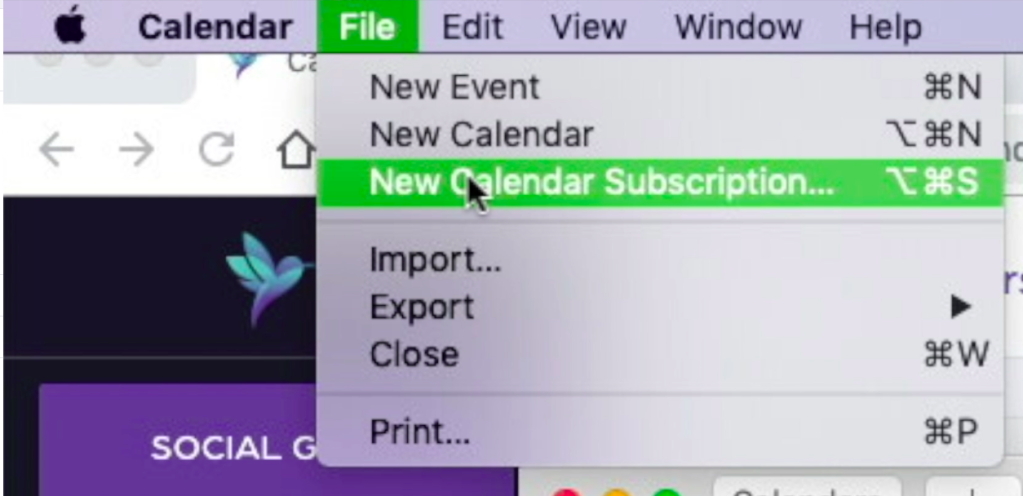
- Click on “File”.
- Click on “New calendar subscription”.
Step 2: Copy link
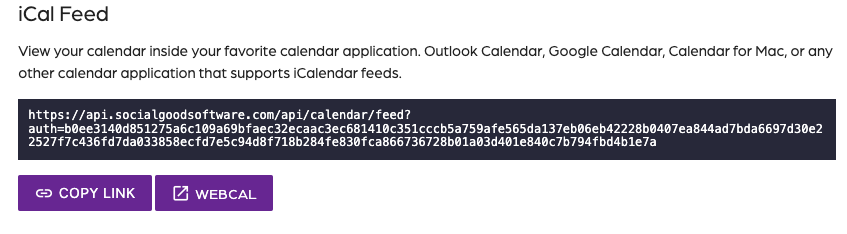
- Click on “Calendar Builder”.
- Click on “Share”.
- Click on “Copy link” under the iCal Feed section.
Step 3: Paste URL
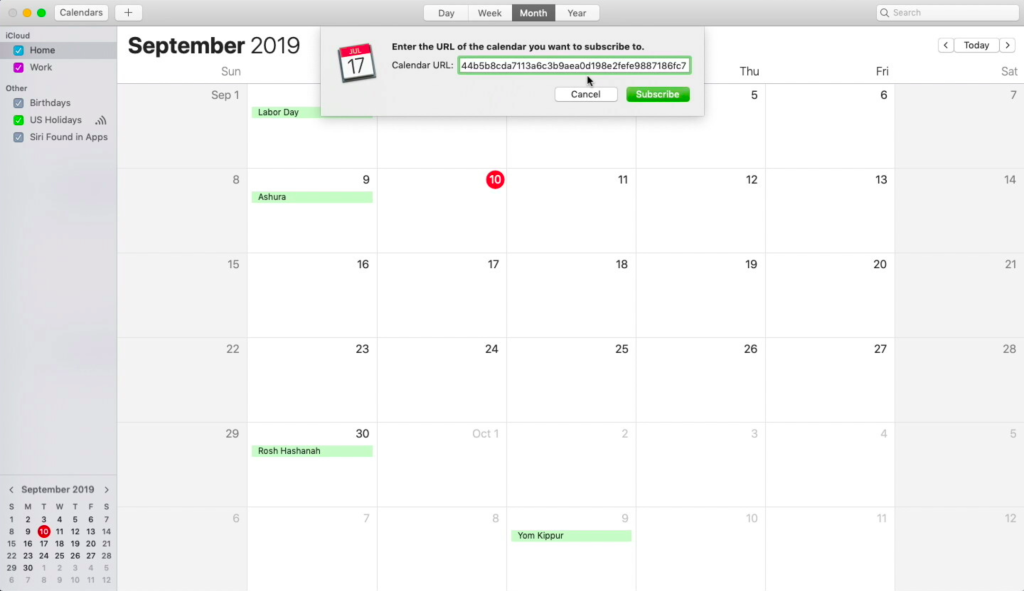
- Paste the URL into the “Calendar URL” field.
- Click on “Subscribe”.
- Add a custom name.
Step 4: Settings
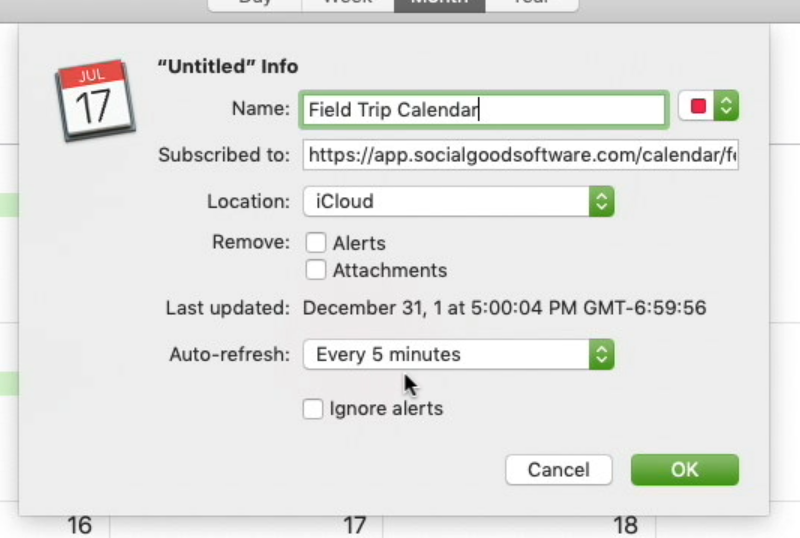
- Uncheck “Alerts” and “Attachments”.
- Set the “Auto-refresh” dropdown to every 5 minutes.
- Click “OK”.
Import iCal feed into Apple Calendar for Mac
67452223faffbb5b3516494b
698c9a9201066426f096cd7b
"\nCreate a calendar and then follow these steps.\n\n**Step 1:**\n\n\n\n- Click on “File”.\n- Click on “New calendar subscription”.\n\n**Step 2: Copy link**\n\n\n\n- Click on “Calendar Builder”.\n- Click on “Share”.\n- Click on “Copy link” under the iCal Feed section.\n\n**Step 3: Paste URL**\n\n\n\n- Paste the URL into the “Calendar URL” field.\n- Click on “Subscribe”.\n- Add a custom name.\n\n**Step 4: Settings**\n\n\n\n- Uncheck “Alerts” and “Attachments”.\n- Set the “Auto-refresh” dropdown to every 5 minutes.\n- Click “OK”.\n\n"