
4 - Authorize application
Step 1: Authorize the application
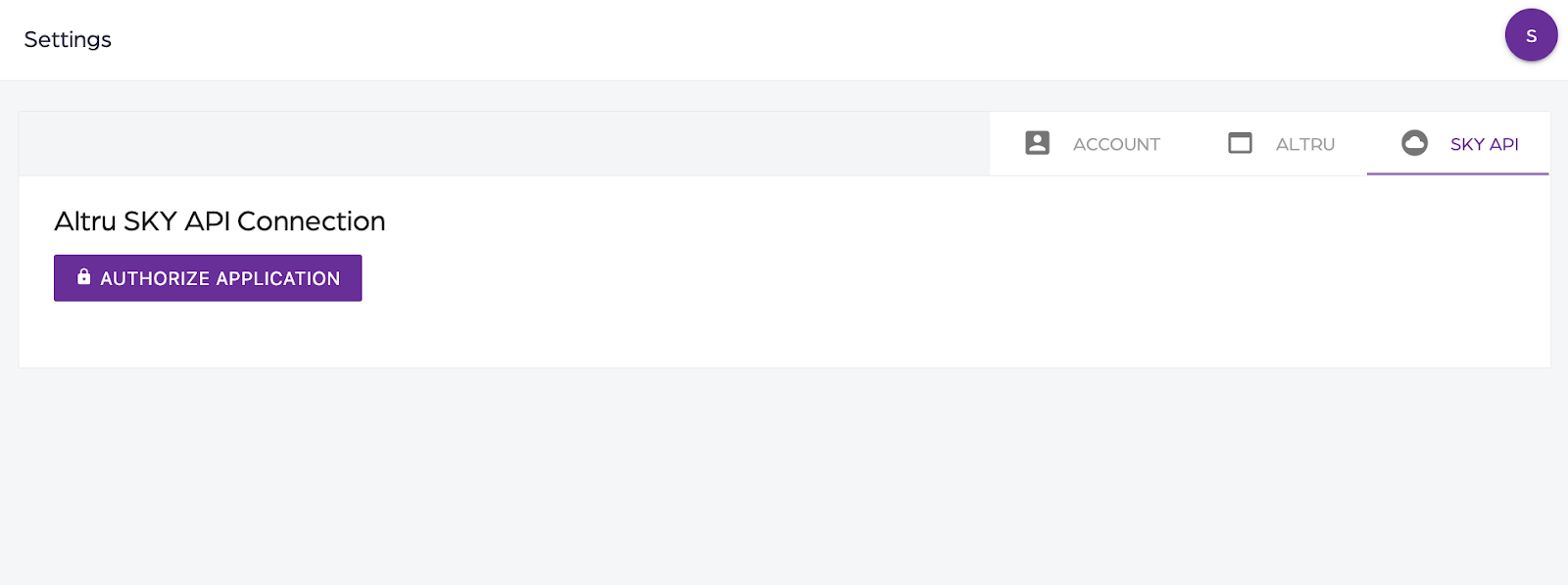
- Log in to the application.
- Click on Settings and then the “SKY API” tab.
- Click on “Authorize Application”.
Step 2: Authorize the application
- Blackbaud login shows up.
- Log in to Blackbaud using the email address from the user that was added using the “Adding a user” article.
- Select your organization and the environment to work with.
- Click on “Authorize”.
Step 3: Select connection
- After authorizing the application, you will be redirected back to Social Good Software.
- Verify the Altru SKY API Connection.
- Select your Blackbaud Merchant Services from the dropdown and click on save.
4 - Authorize application
674522bec70af9799c5c75c8
682f60b29cb4a324e4db2e41
"\n**Step 1: Authorize the application**\n\n\n\n- Log in to the application.\n- Click on Settings and then the “SKY API” tab.\n- Click on “Authorize Application”.\n\nI> **IMPORTANT**: Log in to Blackbaud using the email address from the user that was added using the [“Adding a user”](https://help.socialgoodsoftware.com/article/3772-adding-a-user) article.\n\n**Step 2: Authorize the application**\n\n- Blackbaud login shows up.\n- Log in to Blackbaud using the email address from the user that was added using the [“Adding a user”](https://help.socialgoodsoftware.com/article/3772-adding-a-user) article.\n- Select your organization and the environment to work with.\n- Click on “Authorize”.\n\n**Step 3: Select connection**\n\n- After authorizing the application, you will be redirected back to Social Good Software.\n- Verify the Altru SKY API Connection.\n- Select your Blackbaud Merchant Services from the dropdown and click on save.\n\n"