
How to resend membership cards
Sometimes called Manual Tagging, this process requires you to manually add a membership note in Altru, which will trigger an email to immediately send a membership card link to the primary member.
Step 1: Open the member’s constituent record in Altru.
Step 2: Access the Membership page.
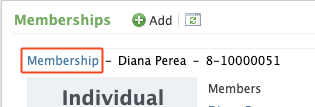
- Click on the membership name located under the “Memberships” section to open the Membership page.
Step 3: Add a Membership note.
- Scroll to the bottom of the Membership page to “Documentation”.
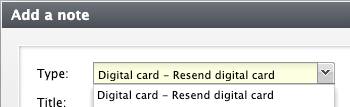
- Click “Add note”.
- Click the dropdown list for “Type” and select “Digital card - Resend digital card” or the note used in your query.
- Click on “Save”.
Step 4: Verify email confirmation note is attached.

- Refresh your browser and open the member’s record in Altru.
- Click on the membership name located under the “Memberships” section.
- Scroll to the bottom of the Membership page to “Documentation”.
- Click the arrow to open the note and view the email.