
How does note types work for Back office emails?
Here are some rules and tips to avoid note type error in the Back office emails:
- Each email needs to have a unique note type. (Review “Creating membership note types” article for the creation of the note type)
- If the email is set to sent immediately or at a specific time, you need to have an exclusion in the query where the filter is “Not one of” and make sure the checkbox for the note type restriction “Only return records that do not match any of the selected values” is selected.
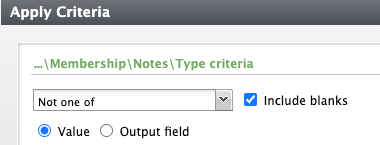
- Relative to date queries do not need a note type restriction but it’s required for the email settings.