
Assign a membership level to specific card design
Link the membership to the design by entering the membership program name and membership program level. This link is required to show the design for the specific membership. The name is the one displayed from Altru.
Step 1: Login
- Log in to the application.
- Click on “Development”.
- Click on “Membership Card Designer”.
- Click on “Settings”.
Step 2: Add Altru details
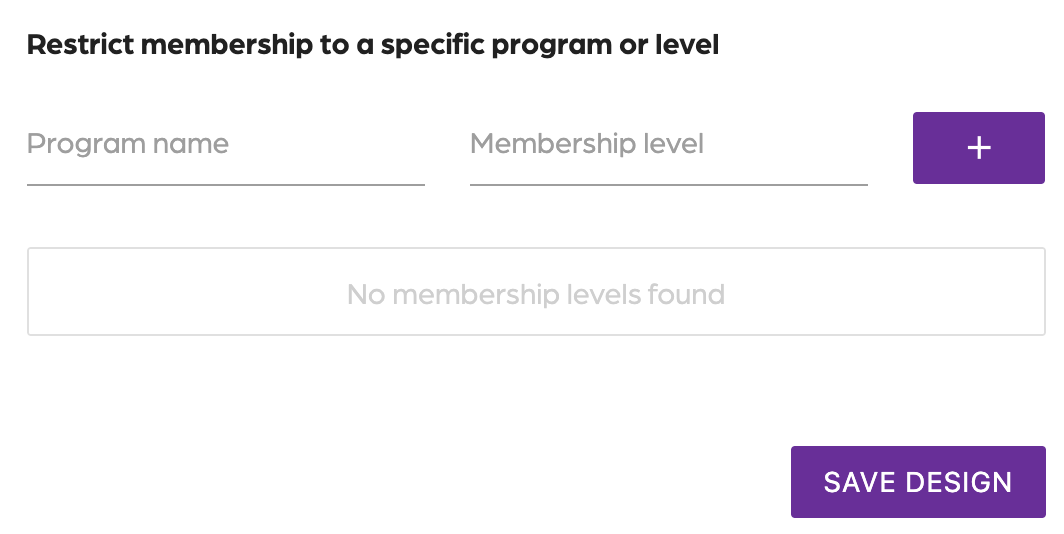
- Type in the program name to match Altru.
- Type in the Membership level to match Altru.
- Click the “+” sign.
- Click on “Save Design”.
By adding the program name and membership level, you save time by not having to create an email for each membership level. Your email has a link with the design based on the membership name you link together.
Assign a membership level to specific card design
674522ea00e65011afed6165
67462c5800e65011afed6429
"\nLink the membership to the design by entering the membership program name and membership program level. This link is required to show the design for the specific membership. The name is the one displayed from Altru.\n\n**Step 1: Login**\n\n- Log in to the application.\n- Click on “Development”.\n- Click on “Membership Card Designer”.\n- Click on “Settings”.\n\n**Step 2: Add Altru details**\n\n\n\n- Type in the program name to match Altru.\n- Type in the Membership level to match Altru.\n- Click the “+” sign.\n- Click on “Save Design”.\n\nBy adding the program name and membership level, you save time by not having to create an email for each membership level. Your email has a link with the design based on the membership name you link together.\n\n"