
Create a note type
Create note type
- Log in to Altru
- Click on “Administration”.
- Click on “Code Tables”.
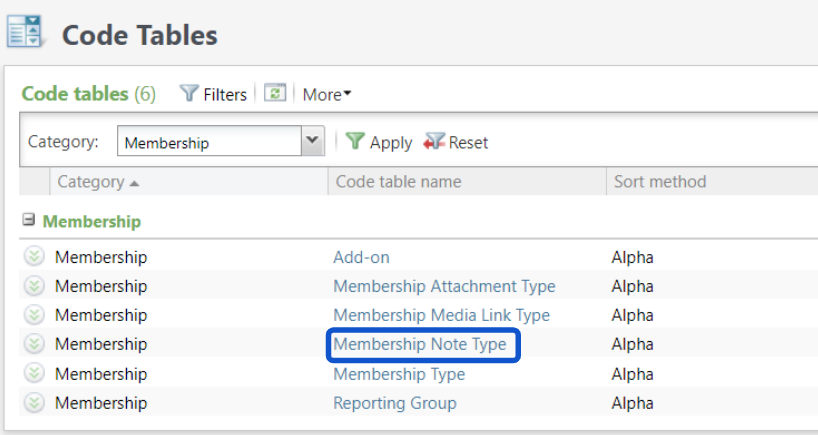
- Click on “Filters”.
- Click the drop-down next to “Category”.
- Select “Membership”.
- Click on the “Apply” button.
- Click on “Membership Note Type”.
- Click on “Add”.
- Enter the note name in the “Description” of membership card download.
- Click on “Ok”.
Create a note type
674522ea00e65011afed6165
67462c5800e65011afed6428
"\n**Create note type**\n\n\n\n- Log in to Altru\n- Click on “Administration”.\n- Click on “Code Tables”.\n- Click on “Filters”.\n- Click the drop-down next to “Category”.\n- Select “Membership”.\n- Click on the “Apply” button.\n- Click on “Membership Note Type”.\n- Click on “Add”.\n- Enter the note name in the “Description” of membership card download.\n- Click on “Ok”.\n\nI> This note type is added every time a membership card is downloaded to the membership record.\n\n"