
Email templates
Below is a list of the email templates you can choose when setting up your emails in Email Designer and the associated Altru note type. Select a template name to view a step-by-step guide to set up your email.
Ticket emails
Ticket emails use a Sales Order ad-hoc query that you will set up in Altru. They are triggered by transactions using online sales, daily sales, or advanced sales.
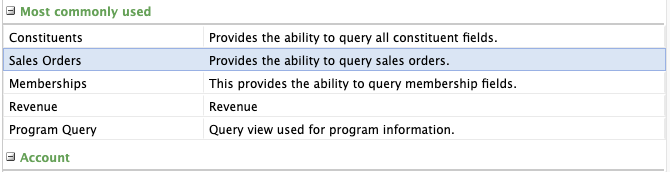
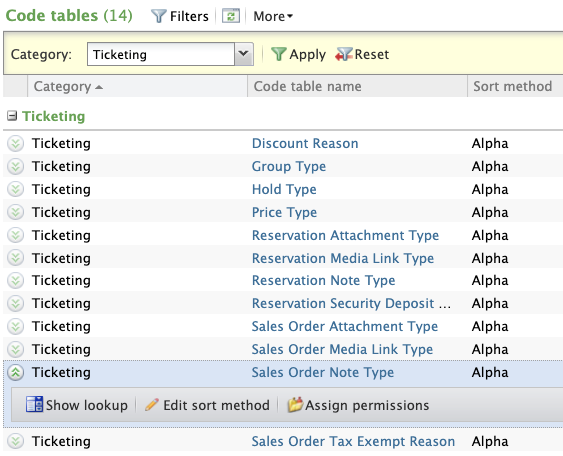
Before setting up your sales order query, you will need to set up or verify that the associated note type has been created. These note types are found in Code tables > Ticketing > Sales Order Note Type.
| Sales order templates | Description | Altru note type |
|---|---|---|
| eTicket - Timed admission confirmation | This email email uses a sales order query to automatically send eTickets for timed-ticketed programs purchased through online sales, daily sales, and advanced sales. This email is sent immediately after purchase. | eTicket - Timed admission confirmation |
| eTicket - Daily admission confirmation | This email uses a sales order query to automatically send eTickets for admissions or events that do NOT have a start time and are purchased through online sales, daily sales, and advanced sales. This email is sent immediately after purchase. | eTicket - Daily admission confirmation |
| eTicket - Timed admission reminder | This email uses a sales order query to automatically send the purchaser a reminder email on the day of a timed-ticketed event or program. This reminder email works for e-tickets purchased through online sales, daily sales, and advanced sales. | eTicket - Timed admission reminder |
| eTicket - Post-visit | This email uses a sales order query to automatically email guests who visited yesterday, and were scanned in. If the guest was not scanned in, they are excluded. The post-visit email works for e-tickets purchased through online sales, daily sales, and advanced sales. | eTicket - Post-visit |
| eTicket - Event confirmation | This email uses a sales order query to automatically email registrants of a timed-event that is free of charge. The email works with online sales, daily sales, and advanced sales. e-Tickets are automatically enabled, but can be turned off for events that don't require ticket scanning. | eTicket - Event confirmation |
| Digital cards - New members - Welcome | This email uses a sales order query to automatically acknowledge a membership purchased through online sales, daily sales, and advanced sales. This email is sent to the purchaser immediately after a membership purchase and includes links to membership cards for each member included on the membership. Gift membership and auto-renewing membership purchases are not included in this email | Digital cards - New members - Welcome |
| Digital cards - Gift giver - Welcome | This email uses a sales order query to immediately send the gift recipient’s membership cards to the giver’s email address. The gift giver can then forward the email to the recipient at the time of their choosing. This email works ONLY for gift memberships purchased through online sales. In addition to this email template, the “Digital cards - Gift recipient - Welcome” email template must also be set up. | Digital cards - Gift giver - Welcome |
| Digital cards - Gift recipient - Welcome | This email uses a sales order query to immediately notify the recipient of their gift membership and includes digital membership cards. In addition to this email template, the “Digital cards - Gift giver - Welcome” email template must also be set up. | Digital cards - Gift recipient - Welcome |
| Digital cards - Auto-renew - Welcome | This email uses a sales order query to automatically acknowledge memberships purchased through online sales, daily sales, and advanced sales where the member has initially elected to auto-renew. This email is sent to the member immediately after purchase and includes digital membership cards. In addition to this email template, the “Digital cards - Auto-renew & back of office - Welcome” and “Membership renewal - Auto-renew - Confirmation” emails must also be set up. | Digital cards - Auto-renew - Welcome |
Membership emails
These emails use a Membership ad-hoc query you will set up in Altru. These emails are triggered by transactions using the back office method or based on a membership field like expiration date.
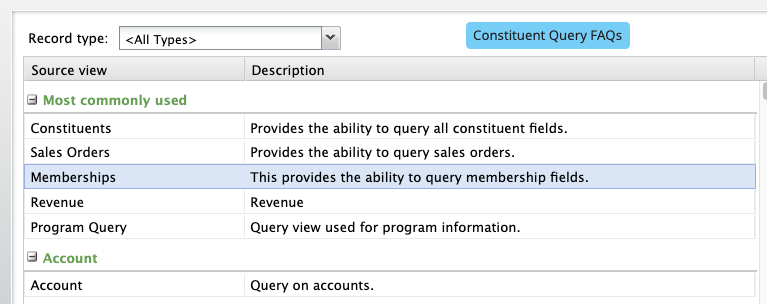
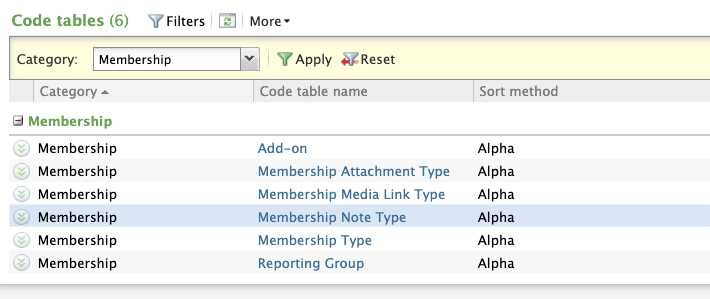
Before setting up your membership query, you will need to set up or verify that the associated note type has been created. These note types are found in Code tables > Membership > Membership Note Type.
| Membership templates | Description | Altru note type |
|---|---|---|
| Digital cards - Active members - Launch | This email uses a membership query to notify all of your members about digital membership cards. This one-time email is sent out to all primary members with an active membership in Altru. | Digital cards - Active members - Launch |
| Membership renewal - Active members - Before expiration | This email uses a membership query to send out a reminder email to members nearing their membership expiration date. Expiration reminders are sent out based on a relative-to-date setting (i.e. 60 days before expiration date, 30 days before expiration date, 15 days before expiration date, etc.) | Membership renewal - Active members - Before expiration |
| Membership renewal - Lapsed members - After expiration | This email uses a membership query to pull out records for lapsed or expired members. (i.e. 60 days after expiration date, 30 days after expiration date, 15 days after expiration date, etc.) | Membership renewal - Lapsed members - After expiration |
| Digital cards - Back of office (auto-renew) - Welcome | This email uses a membership query to automatically acknowledge a membership purchased through a manual entry or back of office process. This email is sent to the purchaser one (1) day after a membership purchase, renewal, upgrade or downgrade, and includes links to membership cards for each member included on the membership. Back office gift memberships and auto-renew memberships are NOT supported. | Digital cards - Back of office (Auto-renew) - Welcome |
| Digital cards - Back of office (no auto-renew) - Welcome | The following email uses a membership query to automatically acknowledge an auto-renewal membership purchased through a manual entry or back of office process. This email is sent to the purchaser one (1) day after a membership purchase, renewal, upgrade or downgrade, and includes links to membership cards for each member included on the membership. Auto-renew memberships purchased online, or through advanced and daily sales, use the “Digital cards - Auto-renew - Welcome” email template. | Digital cards - Back of office (no auto-renew) - Welcome |
| Membership renewal - Auto-renew - Confirmation | The following email uses a membership query and is automatically sent to members with auto-renewal memberships one (1) day after their credit card was charged through “overnight credit card processing”. The email includes the last 4 digits of the credit card that was charged, and links to their membership card. In addition to this email, “Digital cards - Back of office (Auto-renew) - Welcome” and the “Digital cards - Auto-renew - Welcome” email templates are required. | Membership renewal - Auto-renew - Confirmation |
| Digital cards - Resend digital card | This email uses a membership query to resend a membership email to a constituent. | Digital cards - Resend digital card |
| Membership renewal - Auto-renew - Reminder | This email uses a membership query to notify members BEFORE their credit card will be charged for auto-renewal memberships. | Membership renewal - Auto-renew - Reminder |
Group sales reservation templates
These emails use a Group Sales Reservations ad-hoc query that you will set up in Altru. These emails are triggered by group sales orders with a status of “confirmed” or using the relative to date feature in Email Designer.
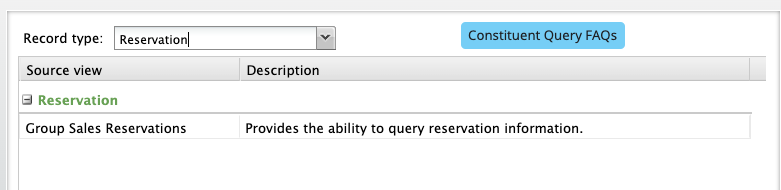
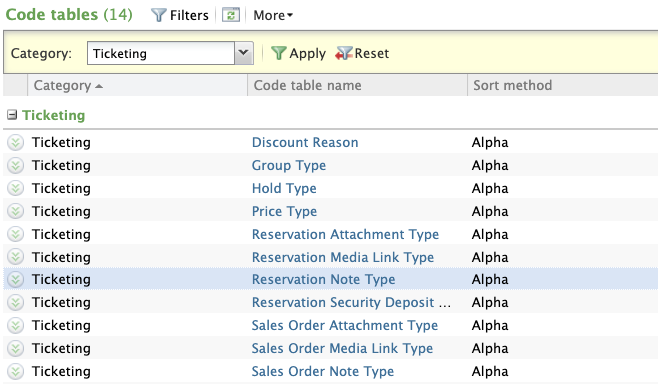
Before setting up your group sales reservations query, you will need to set up or verify that the associated note type has been created. These note types are found in Code tables > Ticketing > Reservation Note Type.
| Group sales templates | Description | Altru note type |
|---|---|---|
| Group sales - Confirmation | This email uses a group sales query to send a confirmation email to the contact person for a group reservation that has been confirmed. | Group sales - Confirmation |
| Group sales - Reminder | This email uses a group sales query to send a reminder email to the contact person for a confirmed group reservation and is triggered to send using the “Specific time” feature. | Group sales - Reminder |
Additional Email Designer support articles can be found at our Knowledge base.