
Review emails sent with note types
Auditing the emails sent is just a query you need to create to preview previous emails sent. This is useful if you want to see how many emails were sent. This can be done for transactional, membership, and reservation emails using the note types you created. Here are two examples for transaction and membership.
Transaction emails
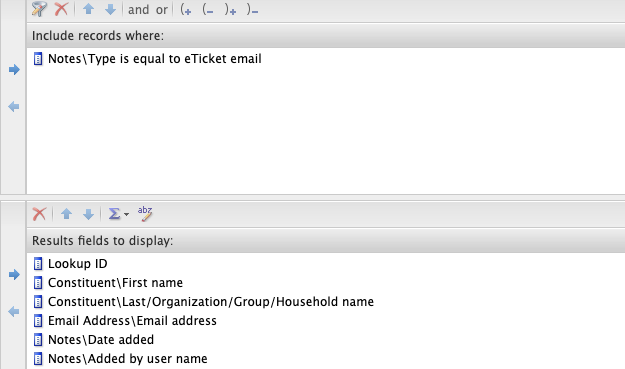
- Login to Altru
- Click on “Analysis”.
- Click on “Information library”.
- Click on “Add an ad-hoc query”.
- Click on “Sales order”.
- Write the query.
- Add the note type.
- Click on “Preview results”.
- Click on “Set save options”.
- Name your query.
Membership emails
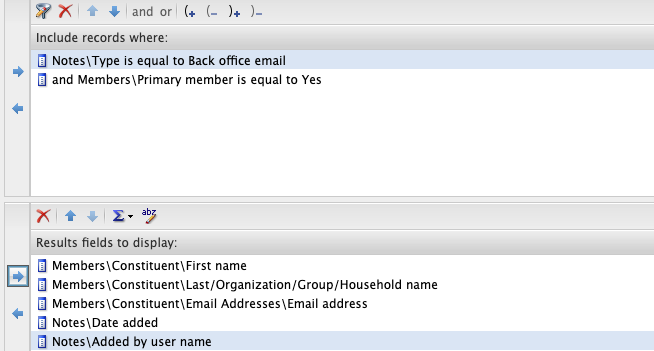
- Login to Altru
- Click on “Analysis”.
- Click on “Information library”.
- Click on “Add an ad-hoc query”.
- Click on “Memberships”.
- Write the query.
- Add the note type.
- Click on “Preview results”.
- Click on “Set save options”.
- Name your query.
Additional Email Designer support articles can be found at our Knowledge base.