Disable default Altru eTicket email

Step 1: Delivery method
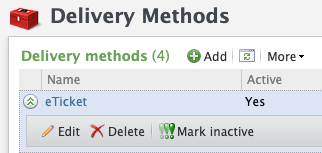
  • Click on “Tickets” in the navigation bar.
  • Click on “Delivery methods”.
  • Click on “eTicket”.

Step 2: Disable tickets
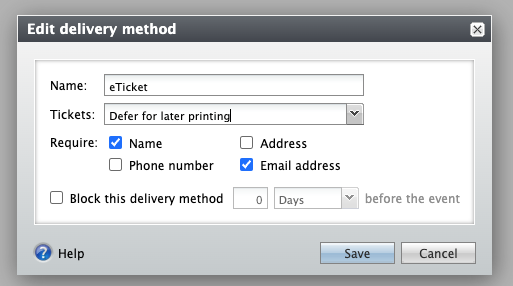
  • Click on the “Tickets” dropdown
  • Select “Defer for later printing”
  • Click on “Save”
warning

Altru does not offer the option to disable emails at the web form level. Instead, it defaults to the “Default acknowledgment email,” which is sent to all web forms that don’t have an email configured at the web form level.

Additional Email Designer support articles can be found at our Knowledge base.

Did this answer your question? Thanks for the feedback There was a problem submitting your feedback. Please try again later.