
Creating reservation note types
Step 1: Code Tables
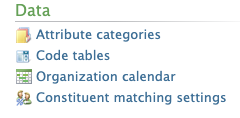
- Click on “Administration”.
- Click on “Code Tables”.
Step 2: Note Type
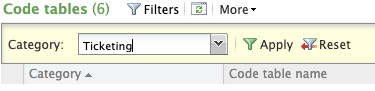
- On the drop-down menu, select “Ticketing”
- Click on “Apply”.
- Click on the “Reservation Note Type”.
- Click on the “Add” button
Step 3: Save note type
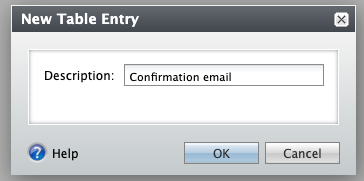
- Enter the name of the note type.
- Click on “OK” to save the note type.
Additional Email Designer support articles can be found at our Knowledge base.